Gw app wathpp: messaging toolbox for unsaved contacts and formats
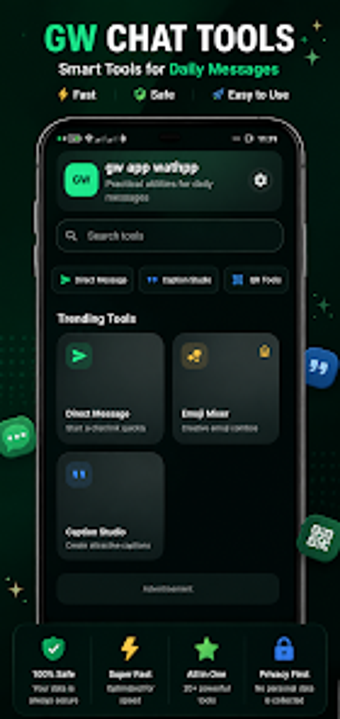
Gw app wathpp bundles direct messaging to unsaved numbers, a QR scanner/generator, and stylish text conversion into a single Android utility. Developed by salemmbinpee for messaging-heavy users, the app groups text tools, media saving, and a local notes manager under one lightweight interface. Key tools include Direct Message links, a QR Toolkit, and a Media Saver, plus caption and hashtag generators. It fits Android users who want quick messaging helpers and local draft storage without sharing chat data.
What does Gw app wathpp do for messaging workflows?
Gw app wathpp centralizes several small tasks that otherwise require multiple apps: it creates Direct Message links to start chats without saving numbers, converts input into Unicode fonts with the Stylish Text tool, and generates or scans QR codes for links and WiFi. The app also offers a Caption & Bio Studio and a Hashtag Generator, so users can prepare social copy and message templates inside the same interface before pasting into a messenger.
How light is its impact on an Android device during use?
The developer says the tool is optimised for lightweight performance, and the app stores notes locally instead of syncing them to a server, which keeps background network activity low. Features that require hardware access, such as the QR scanner and Media Saver, request the appropriate permissions (camera and storage) so the app interacts directly with device sensors and files rather than routing content through external servers.
Is the app safe and simple enough for non-technical users?
The app operates without collecting private conversations according to the privacy note, and notes and drafts remain on the device, which reduces remote data exposure. Workflow choices split casual and advanced tasks: simple actions like sending a blank message or generating stylish text require no setup, while media browsing and QR generation need permission grants. The interface groups utilities together, so a typical user can complete common tasks without deep technical knowledge.
Who should install Gw app wathpp and what to expect
Gw app wathpp is a practical tool for Android users who handle many short messaging tasks and want local drafts and text utilities in one place; it does not provide official integration with messaging platforms. Expect simple, device-local workflows and occasional permission prompts for camera or storage access. Recommended for users who prefer on-device helpers rather than cloud-dependent utilities.